Getting set up is quick and easy — just follow the steps below to install the J2 Management Software (remote support agent) on your Windows computer.
- Refer to your welcome email and click the provided download link.
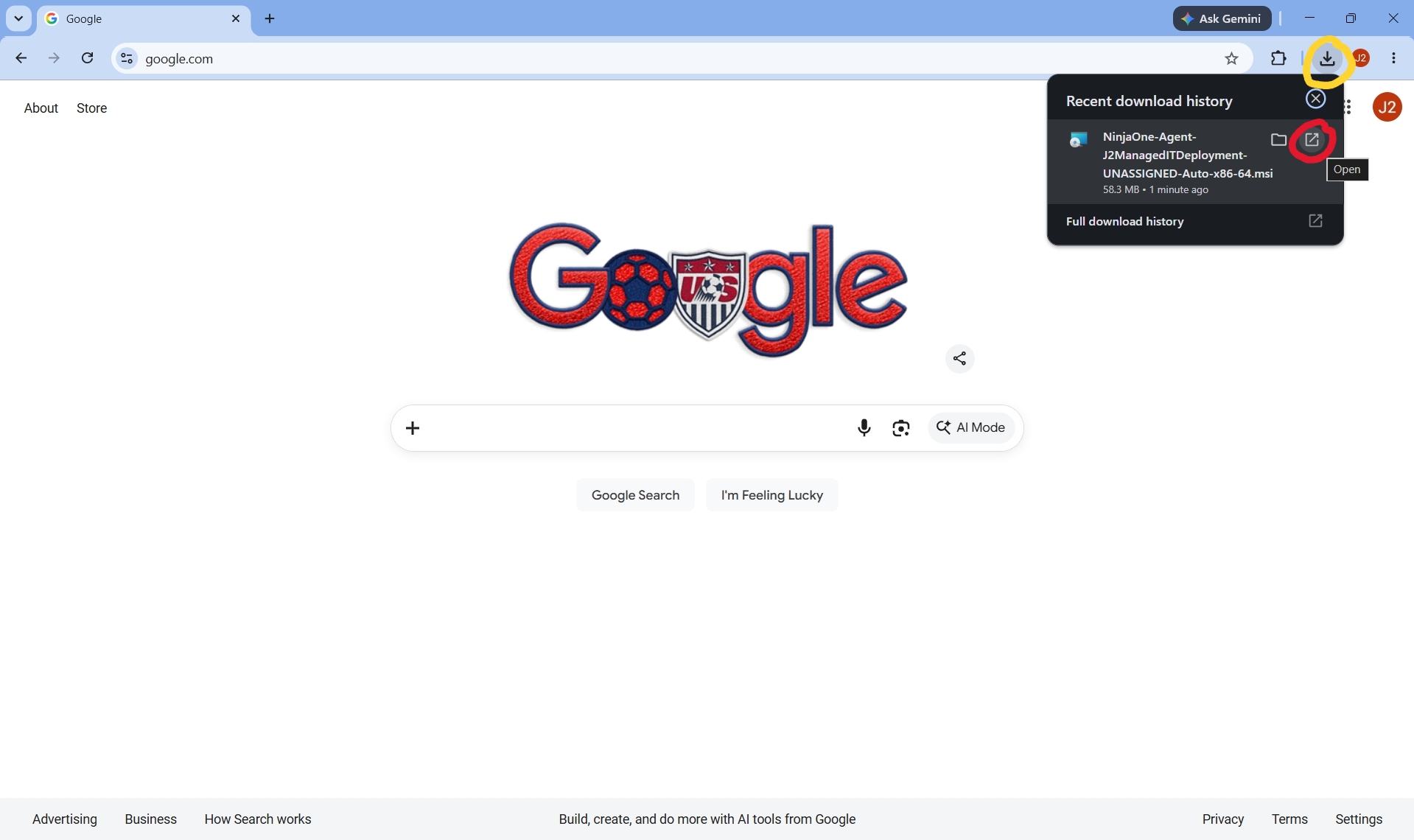
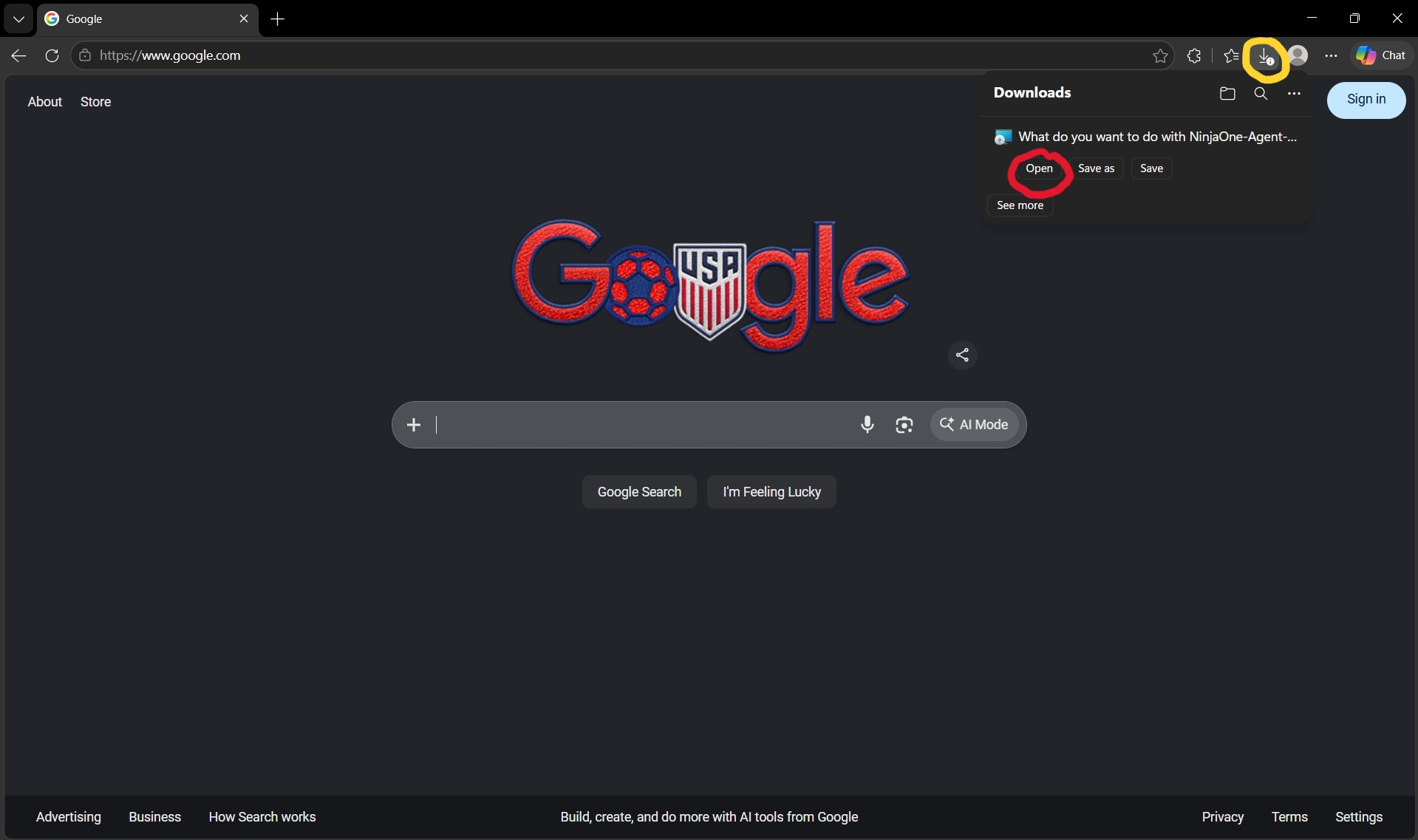
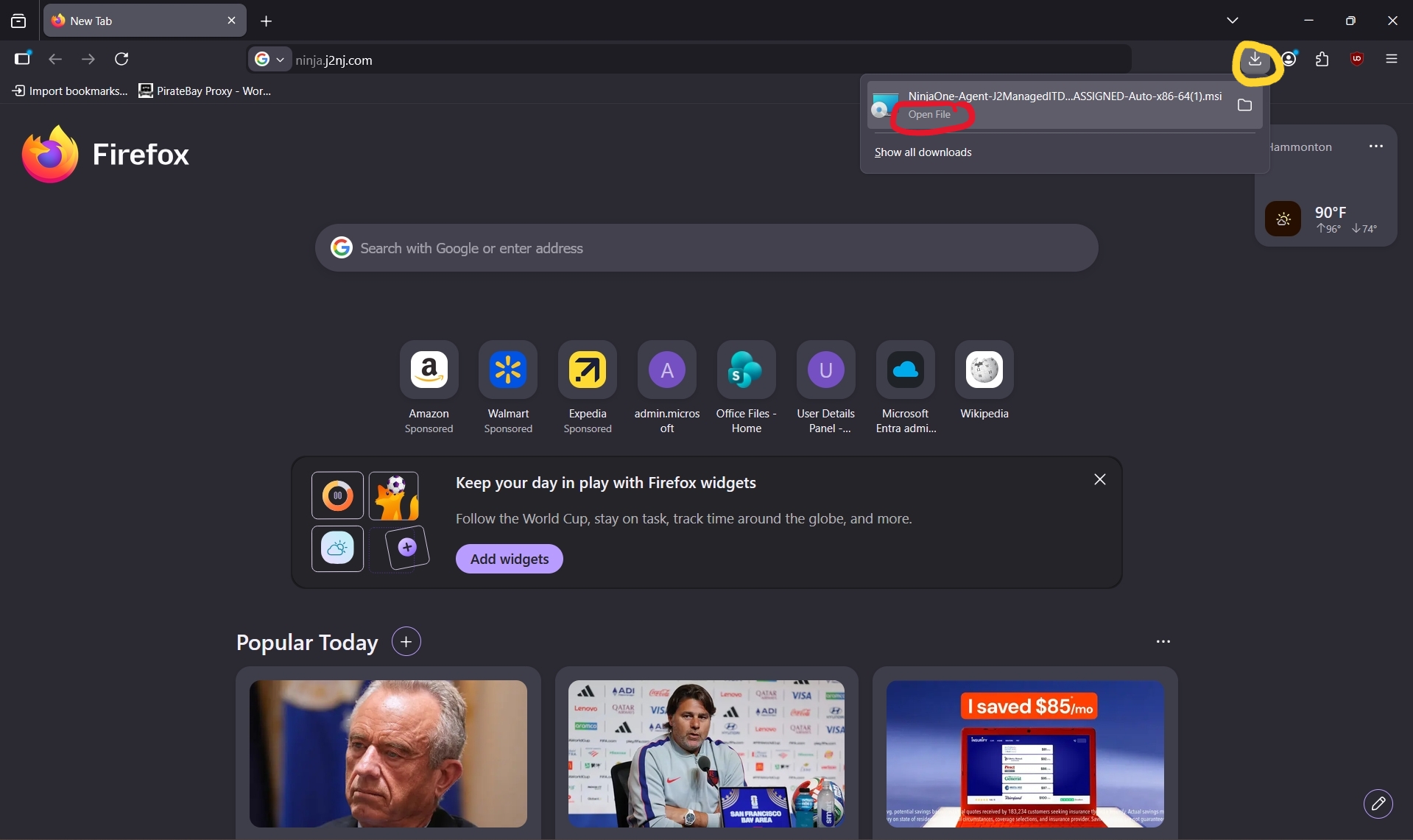
- The download should start automatically in your browser. If it doesn't, open your browser's Downloads icon(circled in yellow) at the top right, select the NinjaOne-agent... file, and choose the open icon(circled in red) to save and run the file.
- For Google Chrome:
- For Microsoft Edge:
- For Firefox:
- For Google Chrome:
- Allow the file to run.
- The software will now install. Once complete, you'll see the J2 icon(circled in red) appear in your toolbar — you'll use this icon to submit support tickets in the future.

Was this article helpful?
That’s Great!
Thank you for your feedback
Sorry! We couldn't be helpful
Thank you for your feedback
Feedback sent
We appreciate your effort and will try to fix the article